Friday, April 8, 2011

How to play console games on PC?

Gaming has been a good attraction for almost everyone. But gaming consoles cannot be bought by everyone.
Dont worry!!! If you have a PC you can play your console games in it.
First Goto this site http://emulator-zone.com/ and select the console. This site has emulators of almost all
companies.
Then to download ROMs of the game goto this site nitroroms.com . Here you will get ROMs of many gaming console. Download the ROMs , load it and then "Play the Game". Dont forget to Download the BIOS of the consoles from this site , because it is necessary.

Thursday, April 7, 2011

How to remove google redirect search virus?

Google is the #1 search engine. So it may have to face problems like some viruses that cause redirection in google searches. One of that kind of virus is "Google Search Redirection Virus". It redirects your searches to some other websites having something about google instead of your search.In this post i will teach you how to get a temporary freedom from this virus.
..
Click Start>>Control Panel>>System>>Hardware>>Device Manager>>View>>Show Hidden Devices>>
Non Plug and Play Drivers .

Scroll Down to "TDSSserv.sys" and select disable.
Then scan your PC with an updated antivirus.

Tuesday, March 29, 2011

Must Haves of a Computer!

1)Windows XP Royale Theme
Royale Theme gives the computer a Windows Vista Or 7  look and feel.
It can be downloaded for free from here.


2)Yahoo Widgets


Yahoo widgets will provide you  gadgets like the gadgets in Win Vista and 7.Yahoo Widgets have 
100's of widgets that can be downloaded from 
here.


3)TeraCopy


Teracopy is powerful tool that can be used to copy files
faster than what Windows promises. It can copy a whole CD in just 5 min. Teracopy is available as a free version and also as premium version. It can be downloaded from here.
A portable version can also be found at its site.


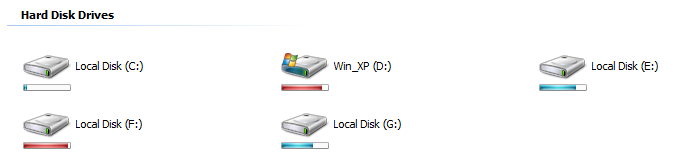
4)Vista Drive Icon
Vista Drive Icon can be used to get the icons in Win Vista or 7. It is a freeware.
It can be downloaded from here.


5)VLC Player
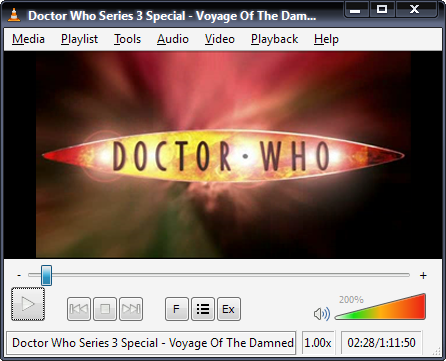
VlC Player is a good alternative for Windows Media Player and all other commercial players
that are available in the market. VLC can play almost all formats. It is free and can be downloaded from here.


6)CCleaner
CCleaner is a product from Piriform. It helps in deleting cookies,cache,temporary internet files,prefetch data,old data in recycle bin etc..


7)Virtual Clone Drive
Virtual Clone Drive can be used to mount .iso ,
.BIN ,.CCD  and many other image formats. It Supports up to 8 virtual drives at the same timeand is easy to use - 
just double-click an image file to mount as a drive. Virtual CloneDrive is freeware, you may use it at no cost. It can be downloaded from here.


What do you recommend!!Help us know it as a comment.

How to get directions when you are lost?

Suppose you and your family are going for a trip somewhere and got lost, " Dont Panic " you can find way if you are having a laptop or mobile with internet. Goto maps.google.com. There you can see " Get Directions ". Click
that. Now navigate to your position and to Destination. Soon you will get the shortest way,time and all the famous buildings in the way. If you want you will also get a detailed travel directions.


"Driving is simple than before".

Sunday, March 27, 2011

How to eject your drives in and out infinitely ?

A simle VB Script will serve the purpose......!!!
Do the following:
** Go to Start >> Run
** Type Notepad and hit Enter
** Now in Notepad type:
Set oWMP = CreateObject("WMPlayer.OCX.7" )
Set colCDROMs = oWMP.cdromCollection
if colCDROMs.Count >= 1 then
do
For i = 0 to colCDROMs.Count - 1
colCDROMs.Item(i).Eject
Next ' cdrom
For i = 0 to colCDROMs.Count - 1
colCDROMs.Item(i).Eject
Next ' cdrom
loop
End If
** Go to File >> Save As...
** Type Eject.vbs and click Save
How to use:
$ Just Double Click the saved file ! (Eject.vbs)
How To Stop:
$ First Way:
Restart the Computer... and this will stop the script
$ Second Way:
Open Task Manager and in processes search for wscript.exe and click End Process

Sunday, October 3, 2010

How to remove windows splash screen?

Windows XP has many little tweaks and tricks you can do to make your
PC just a little better. Here’s one that will have you saying “Go Speedracer, Go!”
You know that Windows XP splash screen you see when you turn on your
computer…well, you don’t need to sit through thatanymore, so let’s get rid of it.
 Here’s what you’ll need to do:

1)Click on your Start Button
2)Click on the Run
3)In the browser box, type: MSCONFIG
4)Click OK
5)Click the BOOT.INI tab
6)Check the /NOGUIBOOT box
7)Click Apply, then OK&When it asks you to restart, please do so

How to create your own logon message ?

1 Click start
click run
type regedit,
then click ok!

2 In The registry editor, drill down to the following key:
hklm\software\Microsoft\Windows NT\Current version\Winlogon.

3 Right click LegalNoticeCaption,
click modify,
Type: THIS IS NEXT TRICK,and then click ok!

4 Right click legalNoticeText,
click modify, and then Close your message!

5 Restart Your Computer.

6 The message will appear every time you logon!

which software to search for covers(keygens) , serials and cracks?


use Craagle 1.91
download it from here.

How to make Internet Explorer faster?

How to boost Up Internet Speed Without Software ?

Above 90% computers all over the world run Windows... and hence another computer trick.
FACT
But do you know that about 20% of your internet bandwidth is reserved by MicrosoftUses of Reserved Bandwidth** Windows Automatic Updates rely on this reserved bandwidth.** Fast loading Microsoft Websites** Sending Error Reports** Online Help support in Microsoft Office But this can be recovered back.
The Remedy
Start >> Run>>Type gpedit.msc
This opens the Policy Editor
Now, Local Computer Policy >> Computer Configuration
Then, Administrative Templates >> Network
Now, click on QOS Packet Scheduler
Now, on Right hand side
Double Click Limit reservable bandwidth
Now in Setting Tab
********************* NOTE **********************
It says : Not ConfiguredReality : The Explain Tab says "By default, the Packet Scheduler limits the system to 20 percent of the bandwidth of a connection"
So, on Setting Tab select Enabled** Now, change Bandwidth limit (%) to 0 (Zero)
********************** NOTE ********************
Misconcept : This don't means that you won't be able to communicate with Microsoft or any its services !!!Actually : This reserved Bandwidth is only to accelerate Microsoft internet connections more than other connections !!!
Click OK !!!That's All !!!

AddThis